
Updated November 2026 · Southern New Hampshire
Secure hard drive disposal NH: old drives and computers
For secure hard drive disposal NH residents have two jobs: make the data unrecoverable, then recycle the computer the way state law requires. This guide shows you how to do both, when wiping is enough, and how to bring drives to our Tewksbury office for physical destruction.
Drives, phones and USB sticks quoted per item and physically destroyed in Tewksbury. Certificate of Destruction on every job.
- Per item quote up front
- Since 2007
- BBB A+ rated
- HIPAA BAA on request
Quick answer
In New Hampshire you cannot put a computer, monitor, external hard drive or phone in a landfill, so the device goes to your transfer station or an electronics recycler. The data is your job, not the recycler’s: wipe and verify a working drive you plan to reuse, and pull and physically destroy any drive that is leaving your hands for good. New Hampshire Document Shredding destroys drives, phones, tapes and USB sticks at 1215 Main Street, Unit 115, Tewksbury, MA, quoted per item, weekdays 10 a.m. to 5 p.m., with a Certificate of Destruction. Our hard drive destruction page lists every type of media we take.
Secure hard drive disposal NH: the data and the metal are two jobs
An old computer gives you two separate problems. The drive inside holds years of tax returns, scanned IDs, saved passwords, photos and email. The case, the circuit boards and the screen hold the metals that New Hampshire keeps out of its landfills. People mix the two up, and that is how a readable drive ends up on a pallet at a recycling yard.
The state’s disposal rules care about the metal. You care about the data. A recycler’s job is to recover materials, and unless one tells you in writing what happens to the drives, plan as if nobody will erase them for you.
So split the job. Take the drive out, deal with the data on your own terms, and then send the empty computer to be recycled. On most machines that takes ten minutes with a small screwdriver.

Paper and drives often leave the house together during a move or an estate cleanout, and one trip can cover both. Our page on residential shredding covers the paper side.
What New Hampshire law says about old computers
The rule is short. RSA 149-M:27, paragraph II(a), says no person shall dispose of any wet-cell batteries, lithium-ion batteries or electronic devices in any solid waste landfill or trash-burning facility in New Hampshire. The lithium-ion language took effect July 1, 2025.
The definition is wide. Under RSA 149-M:4, VIII-a, an electronic device means a “computer, computer monitor, computer peripheral, printer, device containing a cathode ray tube, television, wireless telephones, copiers, fax machines,” and video display devices and recorders. In plain words, almost anything with a screen, a keyboard or a plug that a computer uses.
The Department of Environmental Services spells it out on its electronics page, dated August 28, 2025. Its banned list names computers, monitors and laptops, peripherals including external hard drives, printers, copiers, TVs, video players and wireless phones.
| Item | Household trash? | Where it goes in NH | Data step first |
|---|---|---|---|
| Desktop or laptop | No, banned from landfills | Transfer station, your hauler’s e-waste option or a recycler on the DES list. Fees may apply | Pull the drive, or wipe and verify if it will be reused |
| External hard drive | No, DES lists it as a computer peripheral | Recycler, after the data is dealt with | Destroy it, or wipe it if you will keep using it |
| Phone | No, wireless phones are banned | Recycler, retailer take-back or donation | Back up, sign out, reset, or bring it to us to destroy |
| Loose lithium-ion battery | No, banned since July 1, 2025 | Battery recycling drop-off. DES points to retailer and locator programs | None, but never crush or drill one |
| Monitor, printer, keyboard | No | Transfer station or recycler | Usually none for a monitor or keyboard |
DES points you to your transfer station, your curbside hauler, its list of electronics recycling vendors and retailer take-back programs. For anything that still works, it suggests repair or donation first.
We are not an electronics recycler. We destroy the media that holds your data: hard drives, solid state drives, phones, backup tapes, USB sticks, CDs and DVDs. The empty case, the monitor and the cables belong with your town or a recycler. Please call before you bring a whole tower so we can tell you how to handle it.
Wipe or destroy: what each method really does
The federal reference is NIST Special Publication 800-88, Guidelines for Media Sanitization. Revision 2 came out in September 2025 and replaced Revision 1. It sorts every method into three groups, and the names are worth knowing because IT people, insurers and auditors use them.
Clear
Overwriting every location you can reach through the normal interface, or a factory reset where rewriting is not supported. NIST says it protects against “simple, non-invasive data recovery.” It does not claim to stop a lab.
Purge
Physical or logical techniques that make recovery infeasible even with advanced laboratory methods. Cryptographic erase on a self-encrypting drive is the main example. The device can usually be used again.
Destroy
Recovery is infeasible with laboratory methods and the media can never store data again. This is the group our service sits in. Every drive we take is physically destroyed.
The FTC’s consumer advice for a home computer follows the same logic in simpler words. Back up what you want to keep, erase the hard drive with the reset tool that comes with your operating system, and then recycle or donate the machine. That is sound advice for a working computer you are passing on.
Dragging files to the trash and running a quick format are not on any of these lists. Those steps remove the signposts to your files, not the files.
When a wipe is the right call
The machine works, someone will use it again, and you can confirm the wipe finished. A laptop going to a grandchild fits. Check the result and write down what you ran and when.
When to destroy instead
The drive is dead, the laptop will not boot, nobody can confirm a wipe, or the device is simply leaving for good. NIST puts it bluntly: when media is not intended for reuse, “the simplest and most cost-effective sanitization method can be to destroy the media.”
Home methods are less reliable than they look. NIST says bending, cutting or “drilling a hole through a storage device” may only partly damage it, which can leave portions readable in a lab. It also says degaussing should not be used on flash storage such as SSDs, which are not magnetic, so a magnet from the garage does nothing to one. Never drill or crush a laptop with its battery still inside.
A two-minute decision for every device on the pile
Revision 2 of the NIST guide asks one question first: will this media be reused? Start there for each item on your kitchen table. The tree below is the same reasoning we walk callers through on the phone.
- Three dead laptops in a closet: pull the drives and destroy them. A dead machine cannot run a wipe.
- A working desktop going to a relative: wipe it with the operating system’s reset tool, confirm it finished, keep a note.
- A coffee can of unlabeled USB sticks: destroy them. Nobody is going to plug in each one to check.
- An old phone you will never use again: back it up, sign out of your accounts, then reset it or bring it to us.
If a policy at work names a method or a standard, follow the policy before this list. Our post on what certified data destruction should mean covers the paperwork an office needs.
How to take the drive out before you recycle the computer
You do not need to be handy. Most desktops open with two screws on the side panel and most laptops with small screws on the bottom. Your model number plus “remove hard drive” usually finds a short video.
- Back up what you wantCopy photos and documents to a new computer, an external drive or a cloud account before anything else. Once the drive is destroyed, nothing on it comes back.
- Power down and unplugShut the machine off, unplug it and remove the laptop battery if it comes out.
- Find the driveIn a desktop it sits in a metal bay near the front. In a laptop look under the bottom panel. Newer laptops often use a small M.2 stick about the size of a stick of gum.
- Write down the labelThe serial number is printed on the drive itself, not on the laptop case. Photograph it or copy it onto a list if you want it on your records.
- Bag and countPut the drives in one bag or envelope, separate from any paper, and write the count on the outside. Small M.2 sticks go in an envelope so they do not slip out.
If the storage will not come out, or the machine is sealed, call (978) 636-0301 before you drive down and we will tell you how to handle it. Then take the empty computer to your town’s transfer station or a recycler on the DES list, as the table above shows.
The Tewksbury drop-off for secure hard drive disposal NH residents use
All of our destruction happens in one place: our office at 1215 Main Street, Unit 115, on Route 38 near the I-495 interchange in Tewksbury, Massachusetts. From the Salem or Pelham line it is about 15 minutes down I-93 or Route 38, and parking out front is free.
- Call or book with a countTell us what you have by type, such as six laptop drives, two phones and a bag of USB sticks. Media is quoted per item, so you know the price before you load the car.
- Bring it in on a weekdayWe are open Monday to Friday, 10 a.m. to 5 p.m.
- Count at the counterWe count the items with you and check them against your list before you leave. If the numbers do not match, we sort it out on the spot.
- Physical destructionYour media is physically destroyed at our office so it cannot be read or used again. It is never mixed into a paper load.
- Certificate of DestructionYou get a certificate for the job. File it with your tax papers, your IT list or the estate file, wherever someone would look for it later.
Coming from the border towns? Our Salem to Tewksbury drop-off guide covers the route and parking. If you also have boxes of old statements, our drop-off shredding counter takes paper on the same visit at 99 cents a pound.
Searching for mobile hard drive shredding in NH? Read this first
Many people in Nashua, Manchester and the Seacoast search for a truck that destroys drives in their parking lot. We want to be plain about it. We do not destroy drives at your home or office, and we do not run a truck with a shredder in it. Everything is destroyed at our Tewksbury office.
That still leaves you two good ways to get drives to us without losing a day.
Bring them on a weekday
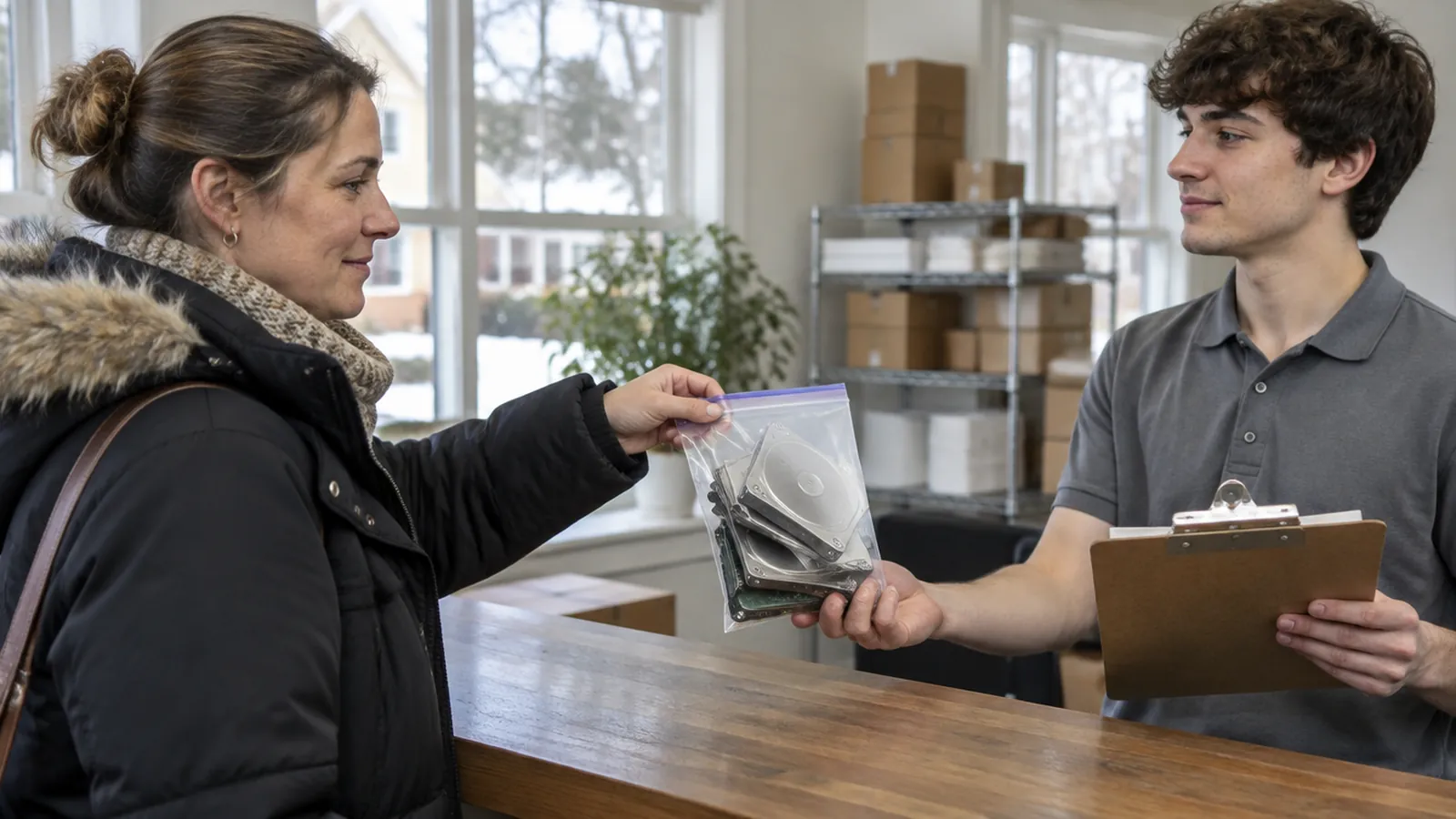
A shoebox of drives fits on the passenger seat. Call with a count, drive down between 10 a.m. and 5 p.m., watch us count them at the counter and leave with your certificate. For most households and small offices near the state line, this is the fastest route.
Add media to a paper pickup
If you are booking our off-site shredding for boxes of paper, ask about media when you book. We will tell you how to bag and label the drives and quote them per item. They travel to Tewksbury with your paper and are destroyed there.
If your company’s policy requires destruction to happen in front of your own staff, at your own address, we are the wrong fit for that job, and we would rather tell you now. If your policy only requires a documented chain of custody and a certificate, our process covers it.
What it costs to clear out drives and paper together
Media is priced differently from paper. A server drive and a thumb drive take different handling, so we quote drives, phones, tapes and discs per item instead of publishing one number. Call with a count and you get the price first.
Paper is simple, and most drive jobs come with some. A banker’s box weighs about 30 pounds and costs 99 cents a pound at our counter. At 10 boxes or more you pay $20 per banker’s box or $15 per small box instead. Every job adds $34.90: a $14.95 HIPAA filing fee for the certificate paperwork and a $19.95 environmental fee for recycling the shred.
| Paper with your drives | Drop-off in Tewksbury | Zone 1 pickup | Zone 2 pickup |
|---|---|---|---|
| 1 banker’s box (about 30 lb) | $64.60 | $194.55 | $224.55 |
| 5 banker’s boxes (about 150 lb) | $183.40 | $313.35 | $343.35 |
| 10 banker’s boxes ($20 each) | $234.90 | $364.85 | $394.85 |
| 20 banker’s boxes ($20 each) | $434.90 | $564.85 | $594.85 |
For one box and a bag of drives, drive down, because the pickup fee costs more than the paper. For twenty boxes and a closet of old computers, the pickup earns its fee. Zone 1 covers border towns such as Salem, Pelham, Windham and Plaistow, Zone 2 covers greater Nashua and Manchester, and Zone 3 is $199.95 for the Seacoast and points farther north. Your exact zone is confirmed when you book.
The full price list is on our shredding rates page, and our post on pickup zones and distance explains how zones are set.
Who brings us drives, and why
The reasons repeat. These are the drive jobs we see most from southern New Hampshire.
Households
The family desktop from years ago, a dead laptop, three phones in a kitchen drawer and an external drive full of scanned tax returns. One bag, one count, one trip.
Tax preparers and home offices
IRS Publication 4557 tells tax professionals to physically destroy hard drives, tapes, USBs, CDs, tablets or phones before disposal. Our page for accountants and tax preparers covers the paper side.
Medical and dental offices
The HIPAA Security Rule, 45 CFR 164.310(d)(2)(i), requires a policy for the final disposition of electronic PHI and the media it sits on. Imaging discs come with the drives. Film has its own rules, covered in our post on whether to shred medical x-rays.
Estates and moves
A parent’s computer often holds the only copy of bank logins and photos. Back up what the family wants first. Our guide to what to shred before moving covers the paper that leaves with it.
For a business, a readable drive that leaves your control can turn into a notice problem under RSA 359-C:19 to 359-C:21. Our page on the NH data breach law explains those rules. Covered entities can ask for a Business Associate Agreement before the job.
Frequently asked questions
Can I throw an old computer or hard drive in the trash in New Hampshire?
No. RSA 149-M:27 bars electronic devices from New Hampshire landfills and trash-burning facilities, and DES lists computers, laptops, monitors, external hard drives and phones among the banned items. Take the computer to your transfer station or an electronics recycler, and deal with the data first: pull the drive and destroy it, or wipe and verify it if the machine will be reused.
Do you offer mobile hard drive shredding in NH?
No. We do not destroy drives at your home or office, and we do not run a truck with a shredder in it. All media is physically destroyed at our office at 1215 Main Street, Unit 115, Tewksbury, MA. You can bring drives in on a weekday from 10 a.m. to 5 p.m., or ask about adding media when you book a paper pickup.
How much does hard drive destruction cost?
Drives, phones, tapes, USB sticks and discs are quoted per item, because they take different handling. We do not publish a single per-drive price. Call (978) 636-0301 with a count by type, such as five laptop drives and two phones, and you will have the price before you make the trip. Paper on the same visit is 99 cents a pound plus $34.90 per job.
Is a factory reset or a wipe enough?
Sometimes. A verified wipe or reset is fine for a working device that someone will use again, and the FTC’s consumer advice describes exactly that. It falls short when the drive is failing, when the machine will not boot, or when nobody can confirm the wipe finished. For a device leaving your hands for good, NIST notes that destroying the media can be the simplest choice.
Do I need to take the drive out of the computer?
Please do if you can. It usually takes a few minutes with a small screwdriver, it lets you record the drive’s own serial number, and the empty computer can then go straight to your town’s recycling. If the machine is sealed or the storage will not come out, call before you come and we will tell you how to handle it.
What do I do with the computer after you destroy the drive?
Recycle it. We destroy the media that holds data, not whole computers. DES suggests your local transfer station, your curbside hauler, its list of electronics recycling vendors, or a retailer take-back program. Fees may apply at some transfer stations. Remove any loose lithium-ion batteries and recycle them separately, since state law bans them from disposal.
Sources
- NH Department of Environmental Services: Electronics (August 28, 2025) (checked November 2026)
- NH General Court: RSA 149-M:27, Disposal Prohibited (checked November 2026)
- NH General Court: RSA 149-M:4, Definitions, paragraph VIII-a electronic device (checked November 2026)
- FTC Consumer Advice: How To Remove Your Personal Information Before You Get Rid of Your Computer (checked November 2026)
- NIST SP 800-88 Rev. 2, Guidelines for Media Sanitization (September 2025) (checked November 2026)
- IRS Publication 4557, Safeguarding Taxpayer Data (Rev. 6-2024) (checked November 2026)
Clear out the drawer of old drives
Count what you have by type, call or book for a per-item quote, and bring it to Tewksbury on a weekday. Recycle the empty computers through your town, and file the Certificate of Destruction with your records.
Visit or call
1215 Main Street, Unit 115, Tewksbury, MA 01876. Route 38 near the I-495 interchange, about 15 minutes south of the NH line. Free parking out front.
Monday to Friday, 10 a.m. to 5 p.m. Witnessed sessions and pickups outside these hours by appointment.
Three ways to shred paper: walk-in drop-off at 99¢ per pound, pickup by zone, or a witnessed session at $1.99 per pound. Media is quoted per item.
New Hampshire Document Shredding · 1215 Main Street, Unit 115, Tewksbury, MA 01876 · (978) 636-0301 · Monday to Friday, 10 a.m. to 5 p.m.